Let’s be honest for a second. When you first started working from home, you probably celebrated by working from the couch, the kitchen island, or—let’s not pretend—your bed.
It felt liberating. But a few months in? Your neck is stiff, your lower back aches like you ran a marathon, and your wrists feel like they’re made of glass.
You’re not alone. “Work-from-home syndrome” is real, but the good news is that it’s totally preventable. You don’t need a $5,000 CEO chair or a standing desk made of reclaimed wood to feel better. You just need a little know-how.
Welcome to your complete, pain-free guide to home office ergonomics.
Why Your Couch is Secretly Your Enemy
Before we dive into fixes, let’s talk about why your body is rebelling.
In a traditional office, your desk, chair, and monitor are usually adjusted to fit a standard human. At home? You’ve adapted your body to fit random furniture. You are hunching over a coffee table. You are cradling your phone between your ear and shoulder.
This leads to what ergonomists call “static loading”—holding your muscles in a fixed, tense position for too long. The result? Chronic pain, fatigue, and a serious drop in productivity.
But here is the secret: *Good ergonomics isn’t about perfect posture; it’s about freedom of movement. *
The 3 Non-Negotiables for a Healthy Home Office
You don’t have to buy everything at once. Start with these three pillars. They provide 80% of the relief.
1. The Screen Stare (Eye-Level Rule)
If you are looking down at your laptop screen, you are inviting “tech neck” into your life. For every inch your head drops forward, the weight on your spine doubles.
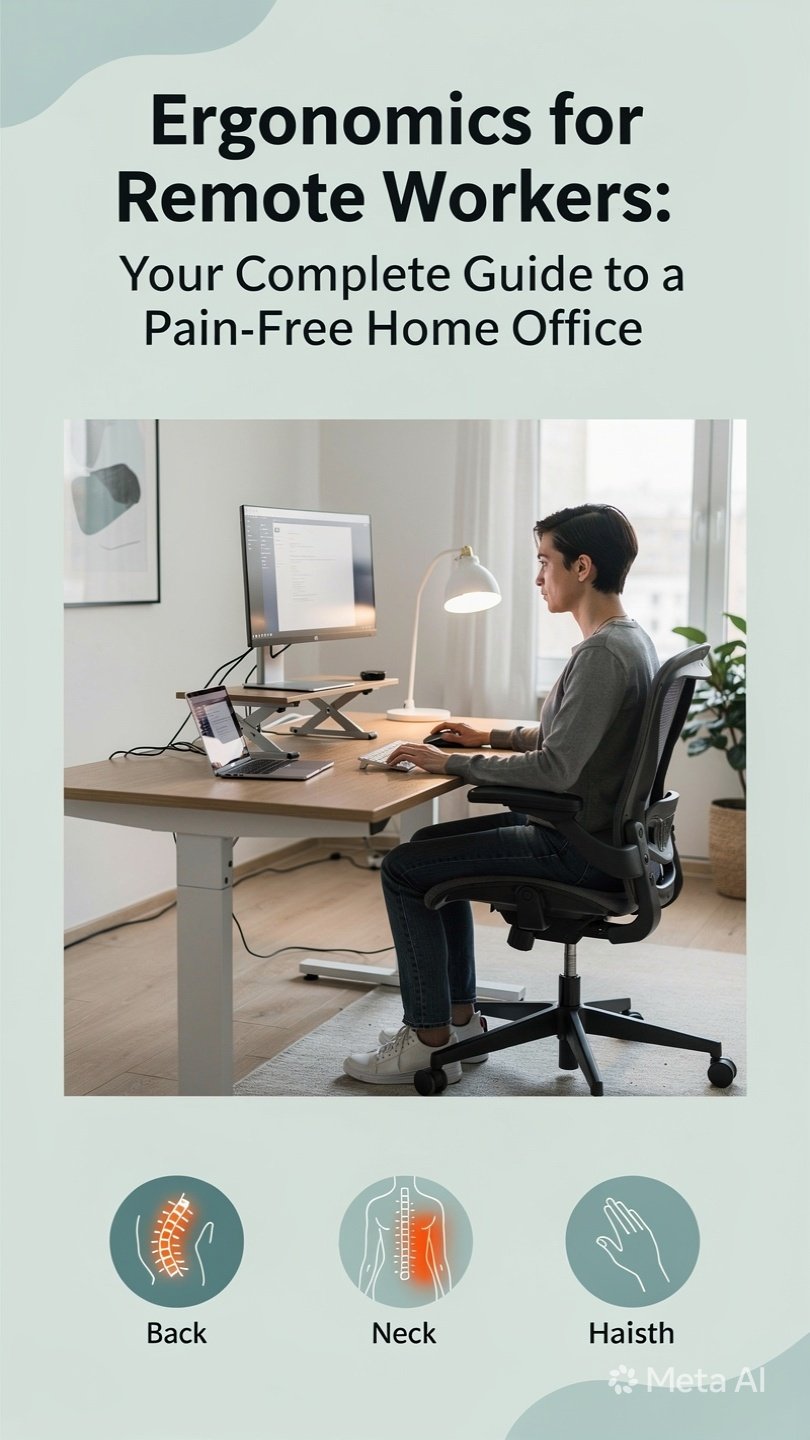
The Fix: Elevate your screen. Use a stack of thick books, a monitor riser, or an external monitor. Your eyes should gaze directly at the top third of the screen.
- Pro tip: If you use a laptop, buy a separate USB keyboard and mouse. Put the laptop on a stand. Your neck will thank you by Friday.
2. The 90-Degree Rule (Arms & Hips)
Your joints love 90-degree angles. When your chair is too low or too high, your body twists to compensate.
The Fix: Adjust your seat height so your hips are slightly higher than your knees (or parallel). Your feet should rest flat on the floor.
- No foot contact? Grab a shoebox, a stack of printer paper, or a cheap footrest. Floating feet cut off circulation and wreck your lower back.
- Elbows: Keep them close to your body. Your desk height should allow your elbows to bend at 90 degrees, with forearms parallel to the floor.
3. The Lumbar Roll (The Curve Saver)
Most dining chairs have a straight back. Your spine has a natural S-curve. A flat back forces you to slouch.
The Fix: You don’t need a new chair. Roll up a bath towel and secure it with rubber bands. Place it right at the small of your back (your belt line). This pushes your lower spine forward, instantly improving alignment.
The “Hidden” Ergonomics: Movement & Light
Your chair setup is only half the battle. The other half is what you do between the typing.
The 20-20-20 Rule (For your eyes)
Staring at a screen dries out your eyes and locks your neck muscles. Every 20 minutes, look at something 20 feet away for 20 seconds. It resets your focus and gives your neck a micro-break.
The “Micro-Movement” Method
Forget the “sit for 50 minutes, stretch for 10” model. It’s outdated.
- Every 30 minutes: Stand up, shake your hands, roll your shoulders, touch your toes. Do it for 30 seconds.
- Water is a trigger: Keep a full water bottle on your desk. You’ll have to get up to refill it (and use the bathroom). That’s intentional.
Quick Fixes for Common Pains (Zero Cost)
| Pain Point | Probable Cause | The $0 Solution |
|---|---|---|
| Wrist Pain | Keyboard is too high. | Lower your chair or add a wrist rest (try a rolled up sock). |
| Eye Strain | Window is behind screen (glare). | Rotate 90 degrees so light comes from the side. |
| Lower Back Pain | Wallet in back pocket. | Take your wallet out while sitting. Seriously. It tilts your pelvis. |
| Sore Shoulders | Mouse is too far away. | Bring the mouse close enough that you don’t reach. Elbow stays at side. |
The Real Secret: Listen to the Whispers
Here is the most human piece of advice I can give you: Pain is a whisper before it becomes a scream.
That little twinge in your shoulder blade? That’s a whisper. Your body is telling you, “Hey, move that monitor two inches left.”
Don’t wait for the scream (the herniated disc, the carpal tunnel diagnosis). Adjust your setup today based on how you feel right now.
Your 5-Minute Action Plan
Let’s wrap this up with a simple checklist. Take five minutes right now to do this:
- Book stack your laptop to eye level.
- Towel roll at your lower back.
- Pull your chair close so you aren’t reaching for the mouse.
- Drink water (this forces a posture break in 30 minutes).
- Set a timer to stand up and shake it out every hour.
Bottom line: You are a human, not a piece of office equipment. You are allowed to move, shift, lounge, and lean back. The goal of ergonomics isn’t to turn you into a statue—it’s to give you the energy to finish your workday without needing a heating pad.
Build your home office for your body. Your future, pain-free self will send you a thank you note.